Mastering Gemini 4 Neon: Essential Tips and Tricks to Maximize Its Benchmark-Beating Power
To get the most out of Gemini 4 Neon following its benchmark wins over Claude Opus 5.5, use structured prompts with self-verification for deeper reasoning, leverage its multimodal speed by debugging with screen recordings, and guide autonomous coding through step-by-step planning and strict constraints.
With the release of Gemini 4 Neon, which recently surpassed Anthropic’s Claude Opus 5.5 on major AI benchmarks, users now have access to unprecedented reasoning and multimodal speed. However, getting the most out of a frontier model requires more than basic prompting; knowing how to leverage its specific architectural strengths can dramatically improve your daily workflow.
Leverage Deep Reasoning with Structured Constraints
Because Gemini 4 Neon excels at multi-step logical problem-solving, you can push its accuracy far beyond standard chat responses by changing how you frame complex requests.
-
Assign a verification step: Explicitly instruct the model to critique its own logic before delivering a final answer. Adding a line like "Identify two potential flaws in your initial solution and correct them" triggers its deeper reasoning pathways.
-
Front-load your context: Place massive datasets, documentation, or full code repositories at the very beginning of your prompt, followed by your specific instructions at the end. This prevents the model from losing focus on your core goal.
-
Use XML tags for clarity: Separate instructions, examples, and raw data using clear tags (such as <context>, <rules>, and <task>) so the model parses complex requirements with zero ambiguity.

Capitalize on Native Multimodal Speed
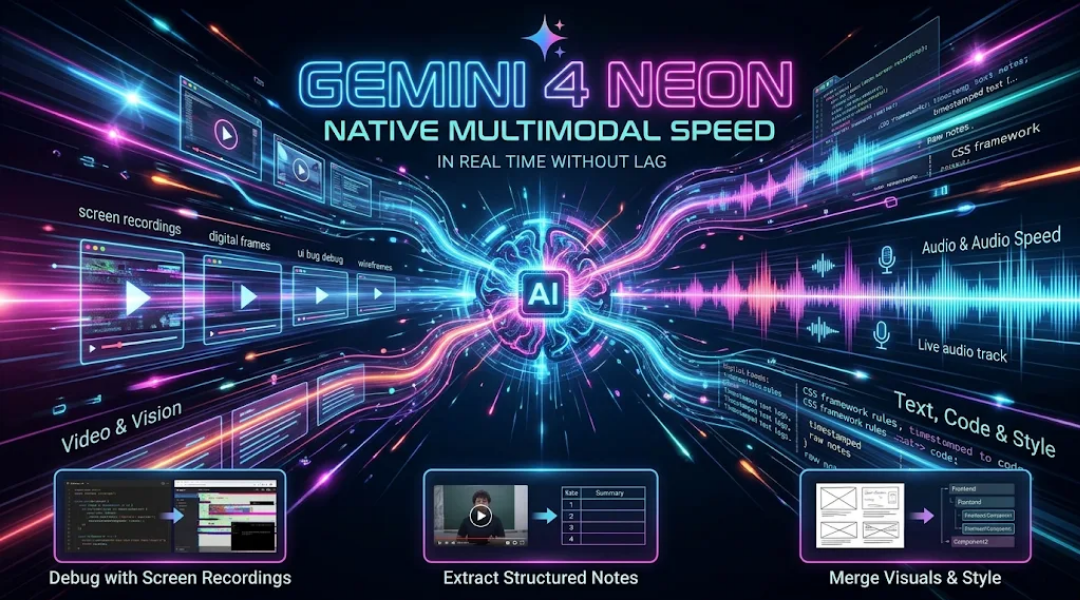
One of Gemini 4 Neon’s biggest advantages over competitors is its ability to process video, audio, and text simultaneously without lag. You can turn this speed into a major productivity shortcut.
-
Debug with screen recordings: Instead of typing out long descriptions of a UI bug or software error, upload a short screen recording of the issue happening in real time alongside your source code. Ask Neon to pinpoint the exact line causing the visual glitch.
-
Extract structured notes from raw video: Feed long lecture videos, recorded meetings, or product demos directly into the prompt and ask for timestamped action items, code snippets, or summary tables without needing a separate transcript first.
-
Combine visual references with strict style rules: Upload a rough wireframe sketch alongside your CSS framework guidelines to generate production-ready frontend components in a single pass.
Optimize Autonomous Coding and Agentic Workflows
Gemini 4 Neon’s edge over Claude Opus 5.5 shines brightest in repository-scale coding and multi-step execution. Adjust your development habits to let the model handle heavier lifting.
-
Prompt for architecture before code: Before asking Neon to write functions, have it generate a step-by-step implementation plan and file tree. Approving the blueprint first prevents cascading errors across large projects.
-
Chain micro-tasks instead of one mega-prompt: When building complex features, break your request into sequential checkpoints, such as database schema design, API routing, and unit testing, reviewing each output briefly before moving to the next.
-
Set strict negative constraints: Tell the model what not to do (e.g., "Do not use external third-party libraries" or "Do not truncate existing helper functions"). Neon adheres tightly to boundaries, saving you from cleaning up unwanted code rewrites.

Conclusion: Putting Neon’s Capabilities into Practice
Benchmark victories only matter when they translate into faster, cleaner results in your own projects. By structuring your prompts for deep reasoning, feeding rich multimodal inputs, and guiding its coding workflows with clear blueprints, you can unlock the full potential of Gemini 4 Neon right away.