
3 Easy AI Tricks to Save Hours in Claude’s New Workspace
The article shares three quick tricks to save time in Claude’s new workspace: box-selecting whiteboard notes to organize ideas, testing live "what-if" scenarios in spreadsheets, and using voice commands during Google Meet calls to create instant notes and drafts, all in one place to eliminate app-switching.
Claude is no longer just a simple chat box, it now includes live spreadsheets, visual whiteboards, team editing, and Google Meet note-taking. To get the biggest time-saving benefits, stop using AI like a basic search bar and start using it like an active helper. Here are three simple tricks to make your daily work much faster and easier.
Turn Messy Brainstorms into Action Plans with "Box-Selecting"
Instead of starting with a blank page, throw all your rough ideas onto a Claude Whiteboard first. Once you and your team add sticky notes, try the box-selecting trick: drag a box around just one group of notes and ask Claude a question. You can ask it to sort those notes by topic, add due dates, or turn that small section into a clean document or slide deck, without messing up the rest of your board.

Test "What-If" Numbers Live in Spreadsheets
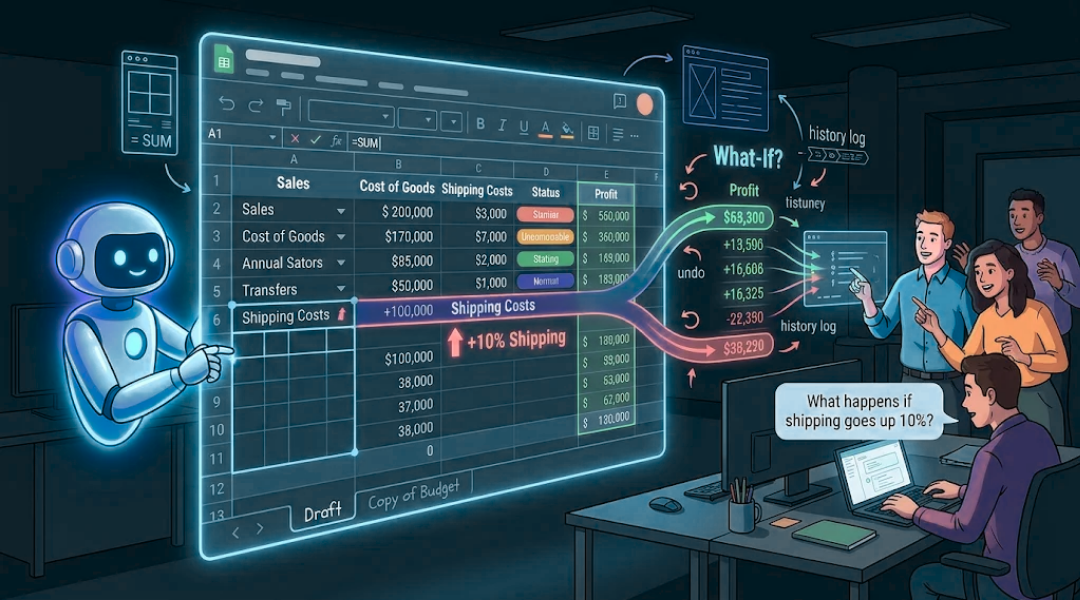
Building tables and fixing broken formulas takes too much time. In Claude Sheets, let the AI build the tabs, drop-down menus, and math formulas for you while you focus on making decisions. A great trick during team meetings is to ask live "what-if" questions: tell Claude to copy your budget tab and test a new scenario on the spot (like, "Show me what happens to our profit if shipping costs go up by 10%"). Because Claude tracks every change, your team can test bold ideas together and easily undo them if needed.
Talk to Claude During Your Google Meet Calls
Do not wait until a video call ends to start your follow-up tasks. When Claude joins your Google Meet, treat it like a teammate sitting in the room. Say "Claude" out loud or type in the meeting chat to get things done while everyone is still talking. For example, if your team picks a project deadline mid-call, say "Claude, make a whiteboard" or "Claude, make a doc" right then. By the time you hang up, your meeting notes, to-do list, and first drafts are already built and ready for your team to edit.

Conclusion: Keep Your Work Moving in One Place
The easiest way to save time with AI is to avoid jumping back and forth between different apps. When you use voice commands during calls, quick box-selecting on whiteboards, and live math in spreadsheets, your ideas flow smoothly from start to finish. Try just one of these tricks during your next project, and let Claude handle the busywork while you focus on the big ideas.