
The battle for the modern desktop is no longer about which software has the best spellcheck; it’s about which AI can do your work for you. For students and office workers, the choice between Google Gemini and Microsoft Copilot is more than just a preference, it’s an "Ecosystem Battle." Whether you are a lifelong Google Docs minimalist or a Microsoft Excel power user, your productivity hinges on how well these AI assistants play with the tools you use every single day.
1. Google Gemini : The King of Context and Cloud
Google Gemini isn't just a chatbot; it’s a seamless layer living inside the apps you already use for school and work. Its greatest strength is its massive context window, which allows it to "read" and understand thousands of emails or hours of video in seconds.
Native Workspace Integration: Gemini sits right in the side panel of Gmail, Drive, and Docs. You can ask it to "summarize all emails from my professor regarding the final exam" or "find the project proposal in my Drive and draft a follow-up."
Video & Research Mastery: For students, Gemini is a game-changer for lectures. It can process long YouTube videos or recorded Meet sessions, providing timestamped summaries and answering specific questions about the content.
Creative Collaboration: In Google Docs, Gemini acts as a real-time writing partner, helping you expand ideas or rewrite professional emails with a single click. In Slides, it uses the Nano Banana 2 engine to generate custom visuals that make your presentations pop without searching for stock photos.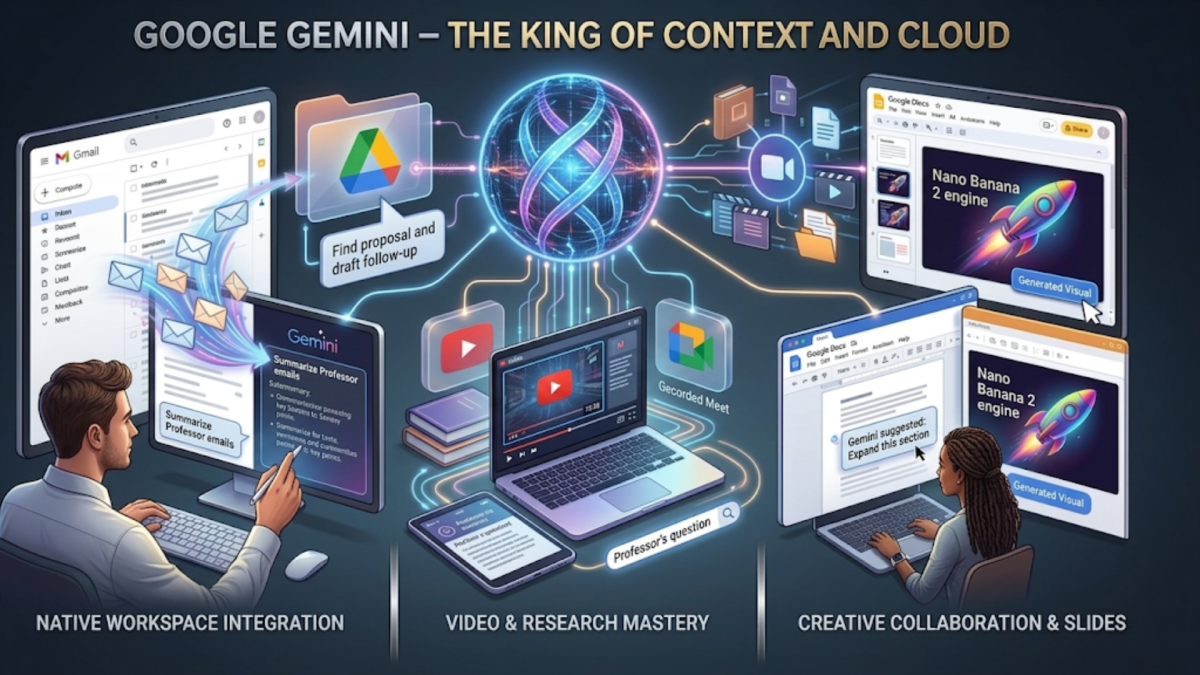
2. Microsoft Copilot : The Powerhouse of Professionalism
If Google Gemini is a researcher, Microsoft Copilot is an executive assistant. Copilot’s value lies in its deep, sophisticated integration with the Microsoft 365 suite, Word, Excel, PowerPoint, and Teams, transforming static documents into active workflows.
The "Word-to-PPT" Magic: One of Copilot's most famous features is its ability to literally turn a Word document into a fully designed PowerPoint presentation. It analyzes your text, creates slides, and even adds relevant imagery and transitions.
Data Analysis in Excel: For office workers, Copilot in Excel is a superpower. You can ask it to "analyze this quarter's sales trends" or "highlight the top three risks in this dataset," and it will generate formulas and charts instantly.
Meeting Intelligence in Teams: Copilot in Teams can summarize a meeting you joined late, list action items for specific people, and even tell you the "vibe" of the discussion, all while the meeting is still happening.
3. The Core Differences : Context VS Construction
While both tools aim to save you time, they approach productivity from two different angles. Gemini’s biggest edge is "Context." Because Google is a search company at its heart, Gemini is superior at finding a needle in a haystack. If you have 500 PDFs in your Google Drive and 2,000 unread emails, Gemini can synthesize all that messy information into one cohesive report. It is the better choice for the "gathering" phase of work, researching, summarizing, and brainstorming.
Copilot’s edge is "Construction." Microsoft excels at the "doing" phase of work. While Gemini is great at reading your files, Copilot is better at manipulating them. It understands the structural relationship between a spreadsheet and a slide deck. If your day involves heavy data manipulation or formatting complex documents for a corporate environment, Copilot’s ability to automate the "boring" parts of Microsoft Office makes it the more technical, output-oriented partner.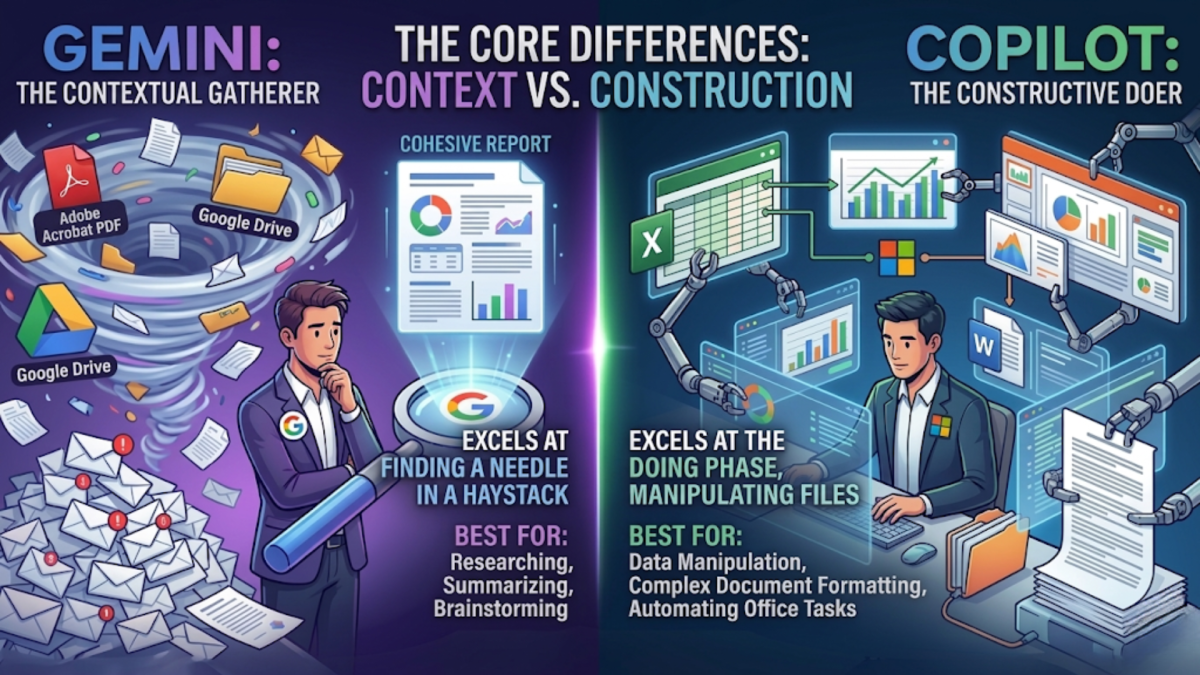
Conclusion: Choosing Your AI Partner
The winner of this battle depends entirely on where you "live" during the day.
If you are a student or a creative who relies on the speed of the cloud, Google Drive's searchability, and the ability to digest massive amounts of research, Gemini is your ideal companion. It feels more intuitive for gathering information and starting from a blank page.
However, if you are a corporate professional or a data-driven student who spends hours in spreadsheets and needs to churn out high-stakes presentations, Microsoft Copilot is unbeatable. Its ability to bridge the gap between a Word doc and a PowerPoint slide makes it a powerhouse for professional output.
Ultimately, you don’t need to choose the "best" AI, you just need to choose the one that already knows where your files are.